
Dashboard
The FMAX Dashboard is the main area for managing your follower and engagement orders.
From the Dashboard, you can save an X handle, place new orders, configure engagement, and monitor your existing purchases.
Open your Dashboard
Section titled “Open your Dashboard”After signing in, select Dashboard from the FMAX navigation menu.
You can also open the FMAX Dashboard directly.
Add your X handle
Section titled “Add your X handle”Enter or paste the X handle you want to manage and save it to your Dashboard.
Make sure you have entered the correct X account before placing an order.
You do not need to provide the password for the X account.
View your orders
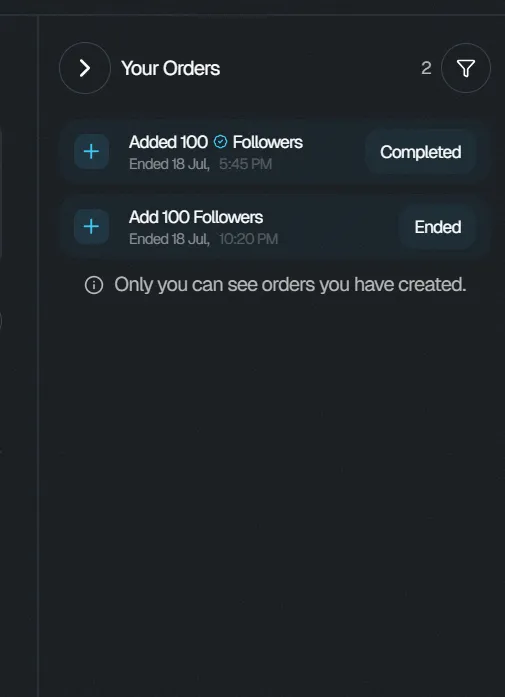
Section titled “View your orders”The Dashboard allows you to view your purchases and keep track of your active orders.
Use it to monitor follower orders and their delivery progress.
Depending on your active orders, you can review information such as:
- Order type
- Number of followers
- Delivery progress
- Other available order details
Add more followers
Section titled “Add more followers”From the Dashboard, you can create additional follower orders.
When adding followers, you can configure options including:
- Number of followers
- Standard or verified followers
- Delivery rate
You can have multiple follower orders running at the same time.
Purchase engagement
Section titled “Purchase engagement”The Dashboard also provides access to FMAX engagement features.
You can choose between:
- Auto-Delivery — configure engagement for future posts.
- Manual Engagement — purchase engagement for a specific X post.
Available engagement can include likes, retweets, views, bookmarks, replies, and comments.
Manage your FMAX activity
Section titled “Manage your FMAX activity”Use the Dashboard as your central location for managing your FMAX activity.
For detailed instructions about individual features, see the relevant Followers and Engagement guides.