
Delivery Speed
FMAX allows you to control how quickly followers are delivered to an X account.
Instead of receiving an entire order at once, you can choose a delivery rate that spreads followers over time.
Choosing your delivery rate
Section titled “Choosing your delivery rate”When creating a follower order:
- Enter the X account that should receive the followers.
- Choose the number of followers you want.
- Select your preferred follower type (All accounts or only verified accounts).
- Set your desired delivery rate.
- Review the price and order details.
- Confirm your purchase.
Depending on the available order settings, delivery rates can be configured by:
- Hour
- Day
- Week
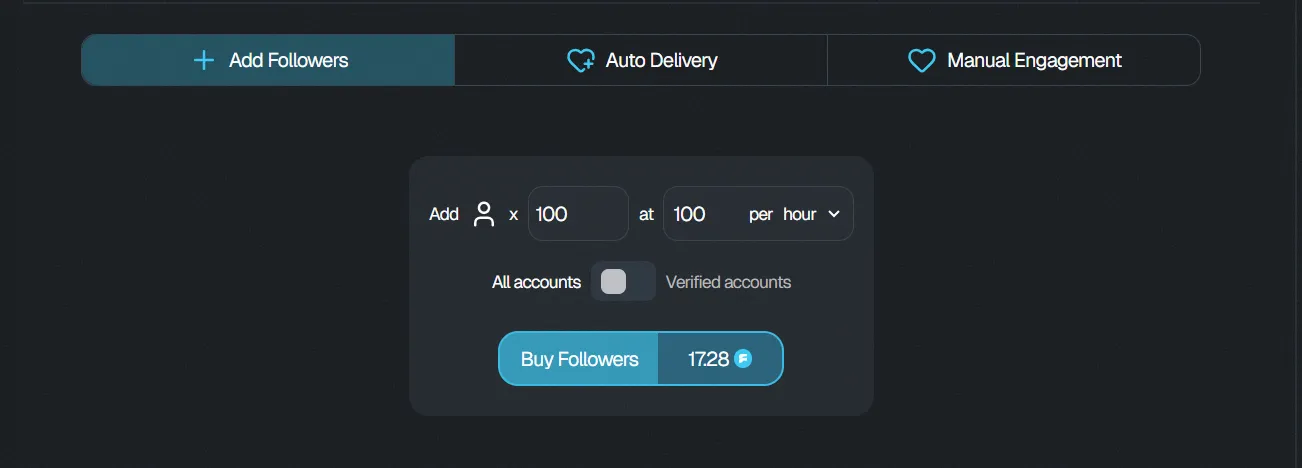
For example, a larger follower order can be delivered gradually instead of being delivered all at once.
Adjusting the delivery speed
Section titled “Adjusting the delivery speed”Use the delivery rate controls when placing your order to choose the pace that works for you.
The selected delivery rate determines how your follower order is distributed over time.
Always review your delivery settings before confirming your purchase.
Tracking delivery
Section titled “Tracking delivery”After placing your order, open your Dashboard to monitor the order and its delivery progress.
For more information about monitoring active orders, see Tracking Orders.