
Auto-Delivery
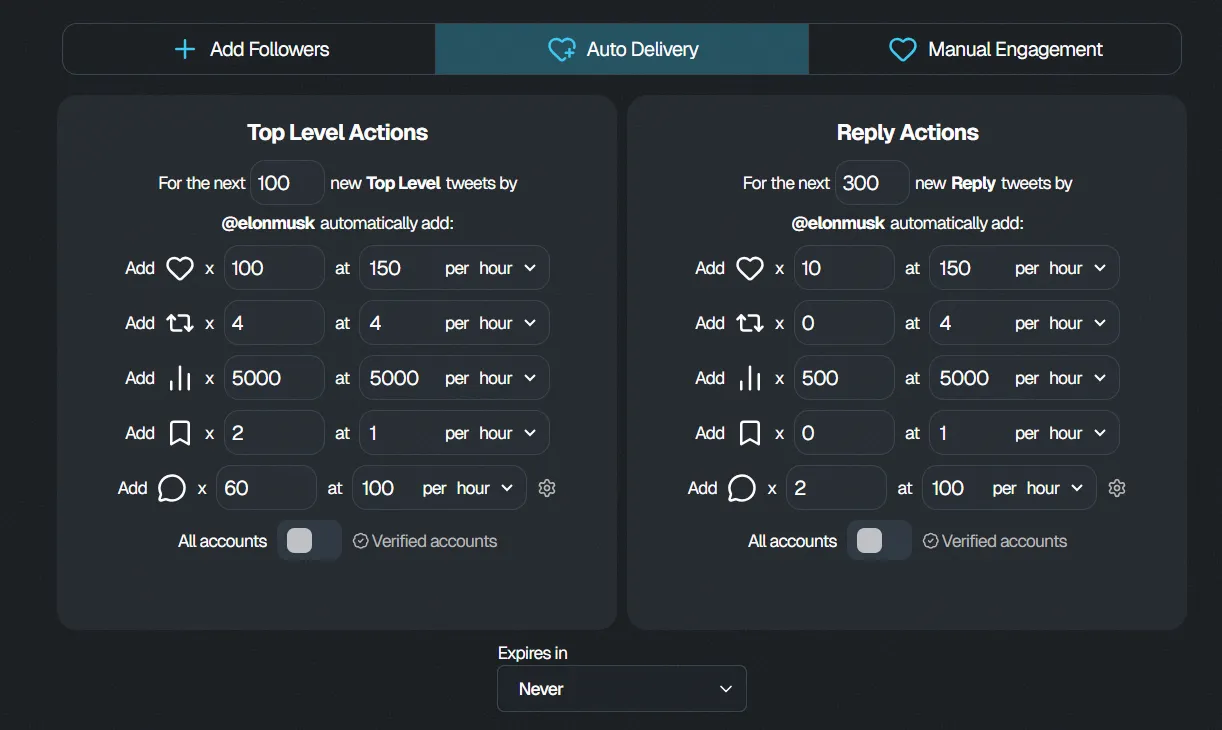
Auto-Delivery allows you to configure engagement that can be applied automatically to future posts from an X account.
This is useful if you want ongoing engagement without manually creating a new order every time the account publishes a post.
Step 1: Choose Auto-Delivery
Section titled “Step 1: Choose Auto-Delivery”From your FMAX Dashboard, select the option to purchase engagement and choose Auto-Delivery.
Step 2: Choose your engagement
Section titled “Step 2: Choose your engagement”Configure the types of engagement you want to receive.
Available options include:
- Likes
- Retweets
- Views
- Bookmarks
- Replies and comments
You can select and configure multiple engagement options based on your needs.
Step 3: Set the delivery rate
Section titled “Step 3: Set the delivery rate”Choose how quickly you want the selected engagement to be delivered.
The price of your order will update based on the engagement types, quantities, and delivery settings you select.
Step 4: Choose your audience
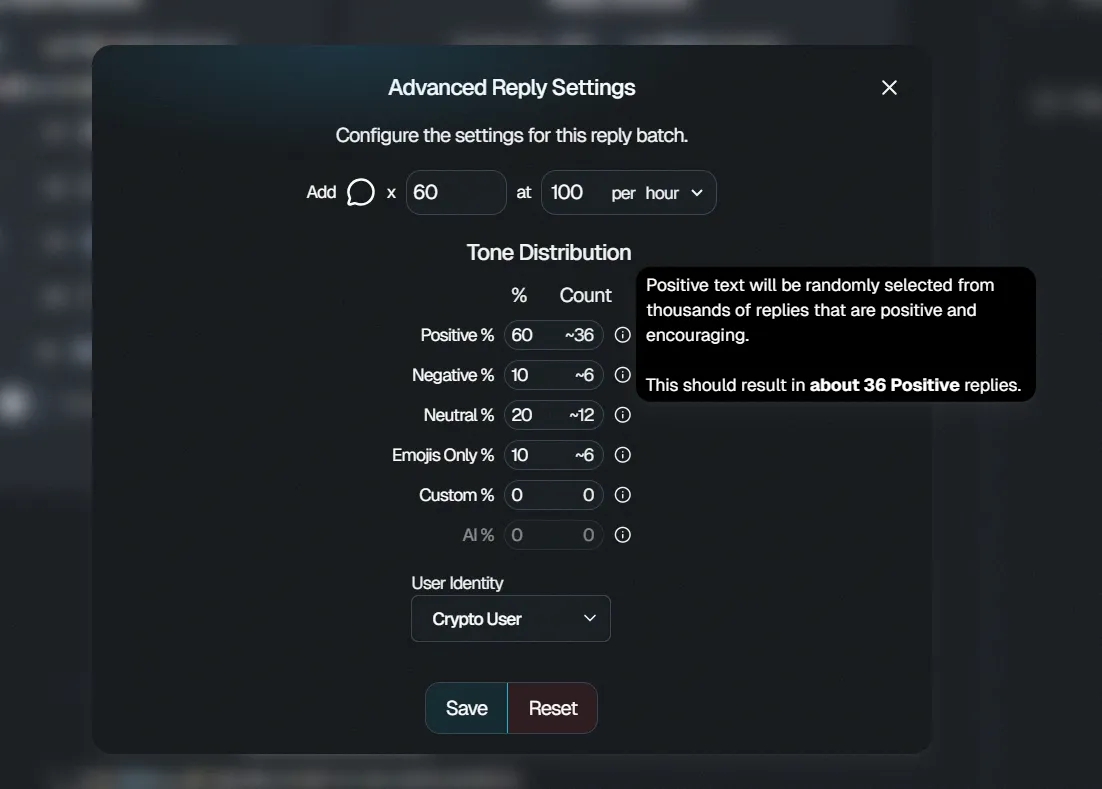
Section titled “Step 4: Choose your audience”Depending on the available settings, you can select the type of audience you want for your engagement, such as:
- Neutral users
- Crypto users
Step 5: Configure replies
Section titled “Step 5: Configure replies”If you include replies in your Auto-Delivery setup, you can customize the type of replies you want. To access this options click the settings icon next to the replies/comments section.
Available options include:
- Positive
- Negative
- Neutral
- Emojis
- Custom replies
For more information about configuring replies, see the Replies & Comments guide.
Step 6: Choose an expiration
Section titled “Step 6: Choose an expiration”Choose how long you want your Auto-Delivery configuration to remain active.
Available options can include:
- Never
- One week
- One month
Step 7: Save your settings
Section titled “Step 7: Save your settings”Review your Auto-Delivery configuration and click Save.
Once configured, your selected engagement settings can be applied to eligible future posts from the specified X account.
You can return to your FMAX Dashboard to manage your engagement settings and monitor your orders.