
Credits & Payments
FMAX uses a credit system to pay for follower and engagement orders.
How FMAX credits work
Section titled “How FMAX credits work”Your FMAX credit balance is used when purchasing services on the platform.
The conversion is simple:
$1 = 1 FMAX credit
For example:
- $5 = 5 credits
- $10 = 10 credits
- $25 = 25 credits
Your available credit balance can be viewed from your FMAX account.
Adding credits
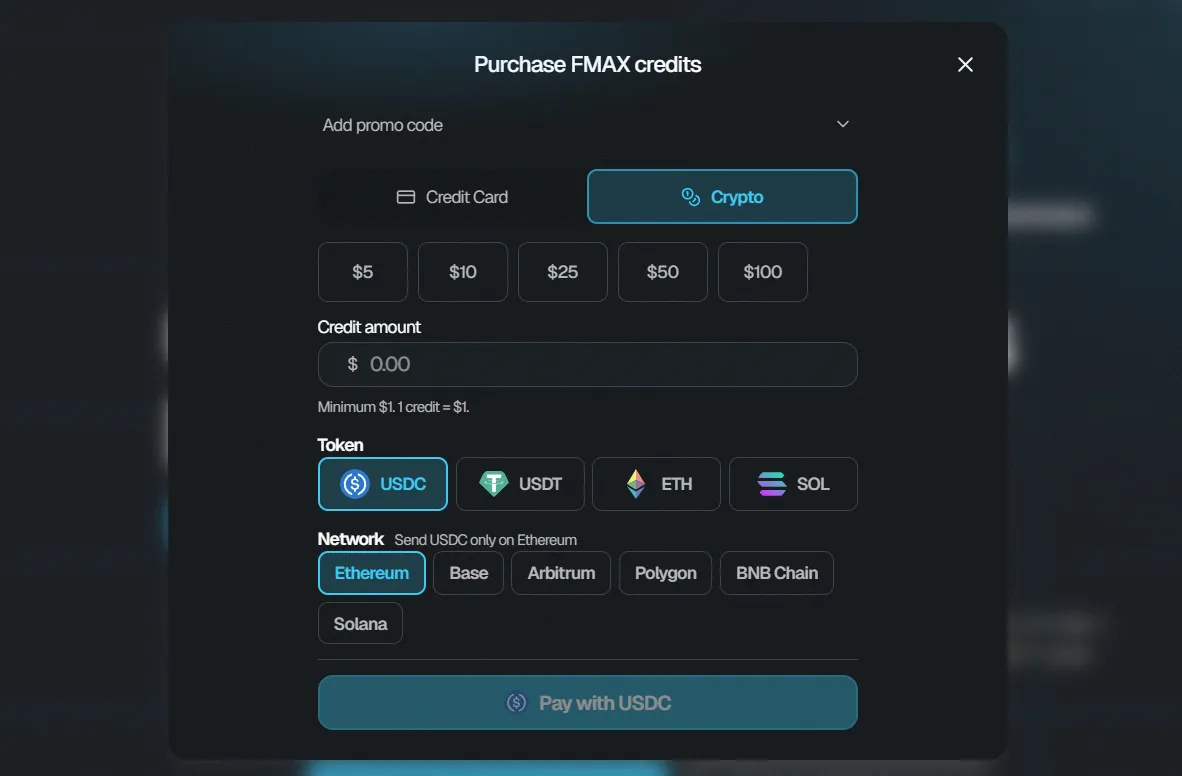
Section titled “Adding credits”If you do not have enough credits to complete an order, you can add more credits to your account.
When adding credits:
- Choose the amount you want to add.
- Select one of the available preset amounts or enter a custom amount.
- Choose your preferred payment method.
- Review the payment information.
- Complete the payment.
Once your payment has been processed successfully, the credits will be added to your FMAX balance.
Payment methods
Section titled “Payment methods”FMAX supports multiple payment options, including:
- Credit or debit card
- Crypto
The available payment options will be displayed when you add credits or proceed through the payment process.
Using your credits
Section titled “Using your credits”Once credits have been added to your balance, they can be used to purchase FMAX services, including:
- Followers
- Verified followers
- Manual Engagement
- Auto-Delivery engagement
The required number of credits depends on the service and configuration you select.
Promo codes
Section titled “Promo codes”If a promo code option is available during checkout, enter your promo code before completing your payment.
Make sure the code has been applied successfully before proceeding.
Check your balance
Section titled “Check your balance”Your remaining FMAX credit balance is displayed within your account.
Before placing an order, check that you have enough credits available to cover the total cost.
If your balance is insufficient, add additional credits before completing your purchase.