
Buying Followers
FMAX allows you to purchase followers for an X account and control the size and delivery rate of your order.
You can place multiple follower orders and monitor them from your FMAX dashboard.
Step 1: Choose the X account
Section titled “Step 1: Choose the X account”Enter the X username for the account that should receive the followers.
Confirm that you have entered the correct account before placing your order.
You do not need to provide the password for the X account.
Step 2: Choose the number of followers
Section titled “Step 2: Choose the number of followers”Select the number of followers you want to purchase.
The total price of your order will update based on your selections.
Step 3: Choose your follower type
Section titled “Step 3: Choose your follower type”Depending on the available options, you can choose between standard followers and verified followers.
Verified followers are priced differently from standard followers.
Step 4: Set the delivery rate
Section titled “Step 4: Set the delivery rate”Choose how quickly you want your followers to be delivered.
FMAX allows you to control the delivery pace so that followers can be delivered gradually instead of all at once.
Delivery options may be configured by hour, day, or week, depending on your order settings.
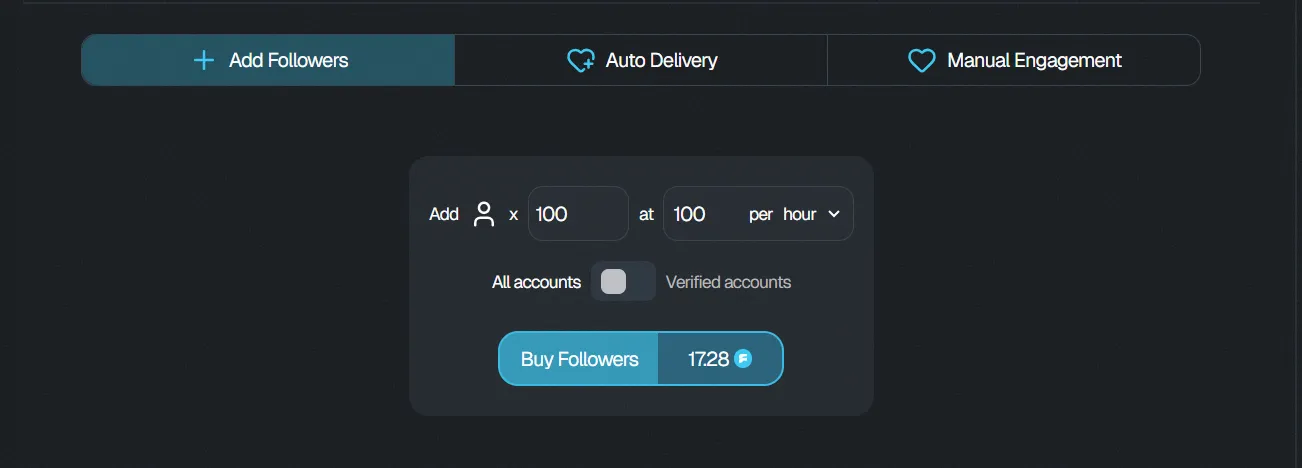
Step 5: Review your order
Section titled “Step 5: Review your order”Before confirming your purchase, check:
- The correct X account
- Number of followers
- Follower type
- Delivery rate
- Total price
Make sure all the information is correct before proceeding.
Step 6: Complete your purchase
Section titled “Step 6: Complete your purchase”Complete the order using your available FMAX credits.
If you do not have enough credits, add credits to your account before completing the purchase.
Track your order
Section titled “Track your order”Once your order has been placed, open your Dashboard to monitor its status and delivery progress.
You can have multiple follower orders running at the same time.